Download LimitWatch
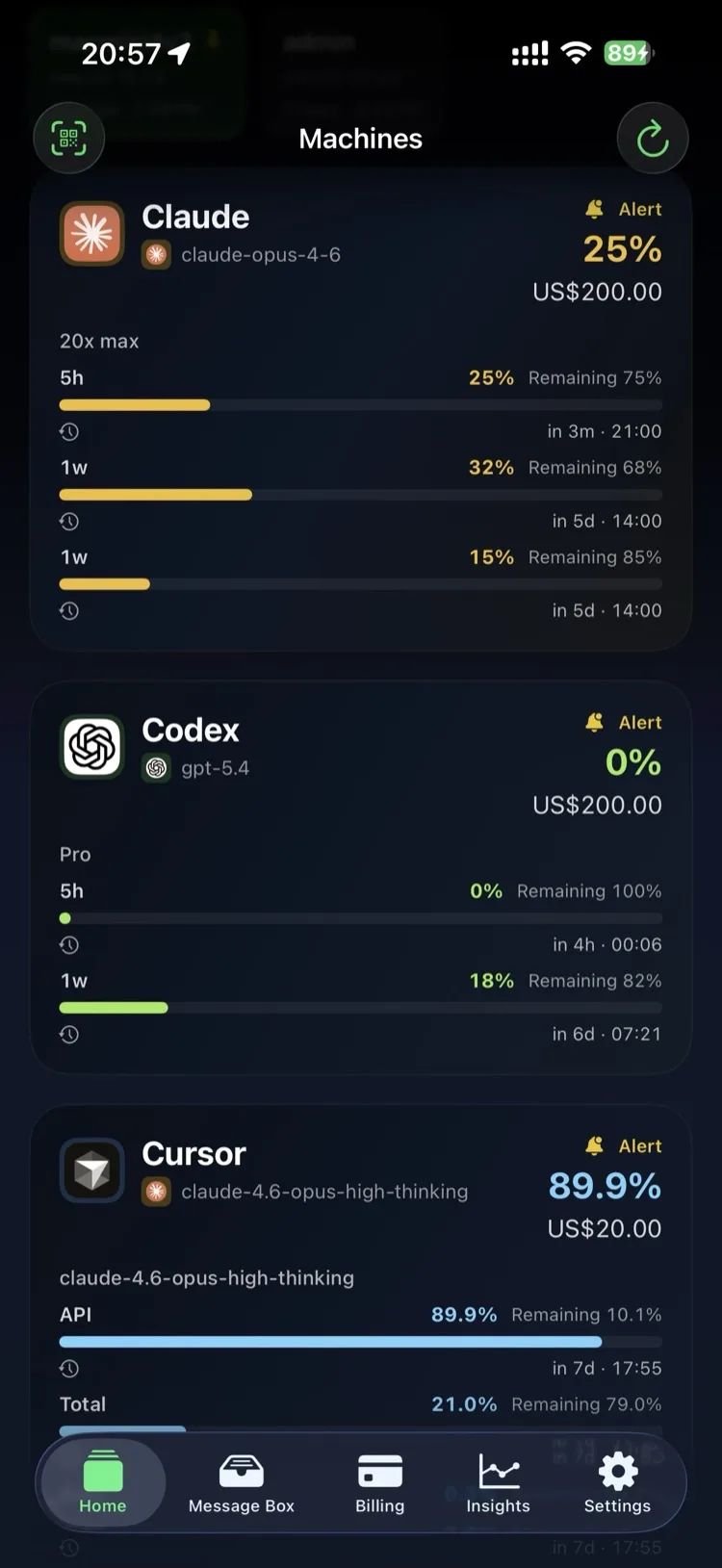
Track quota across Claude, Codex, Cursor, and 8+ AI tools — free on Mac, $1.99/yr on iPhone.












Mac
v1.0.0 · macOS 14+ · Apple Silicon & Intel
Download Mac app Free
Download Channels
Direct download, always the latest version. Fastest updates.
Versioned releases with changelogs. Verify checksums if needed.
Quick Setup
Install the Mac app
Open the .dmg file and drag LimitWatch to your Applications folder. Launch it once — it will appear in your menubar.
Grant access to AI tools
The app will detect installed AI tools and ask to read their quota data. Approve each tool you want to monitor.
Open on iPhone
Install from the App Store. If both devices use the same Apple ID, quota data will appear automatically. Add widgets to your home screen for quick access.
System Requirements
Mac
macOS 14 Sonoma or later
Apple Silicon or Intel
iPhone / iPad
iOS 17 or later
iPadOS 17 or later
Apple Watch
watchOS 10 or later
Requires paired iPhone